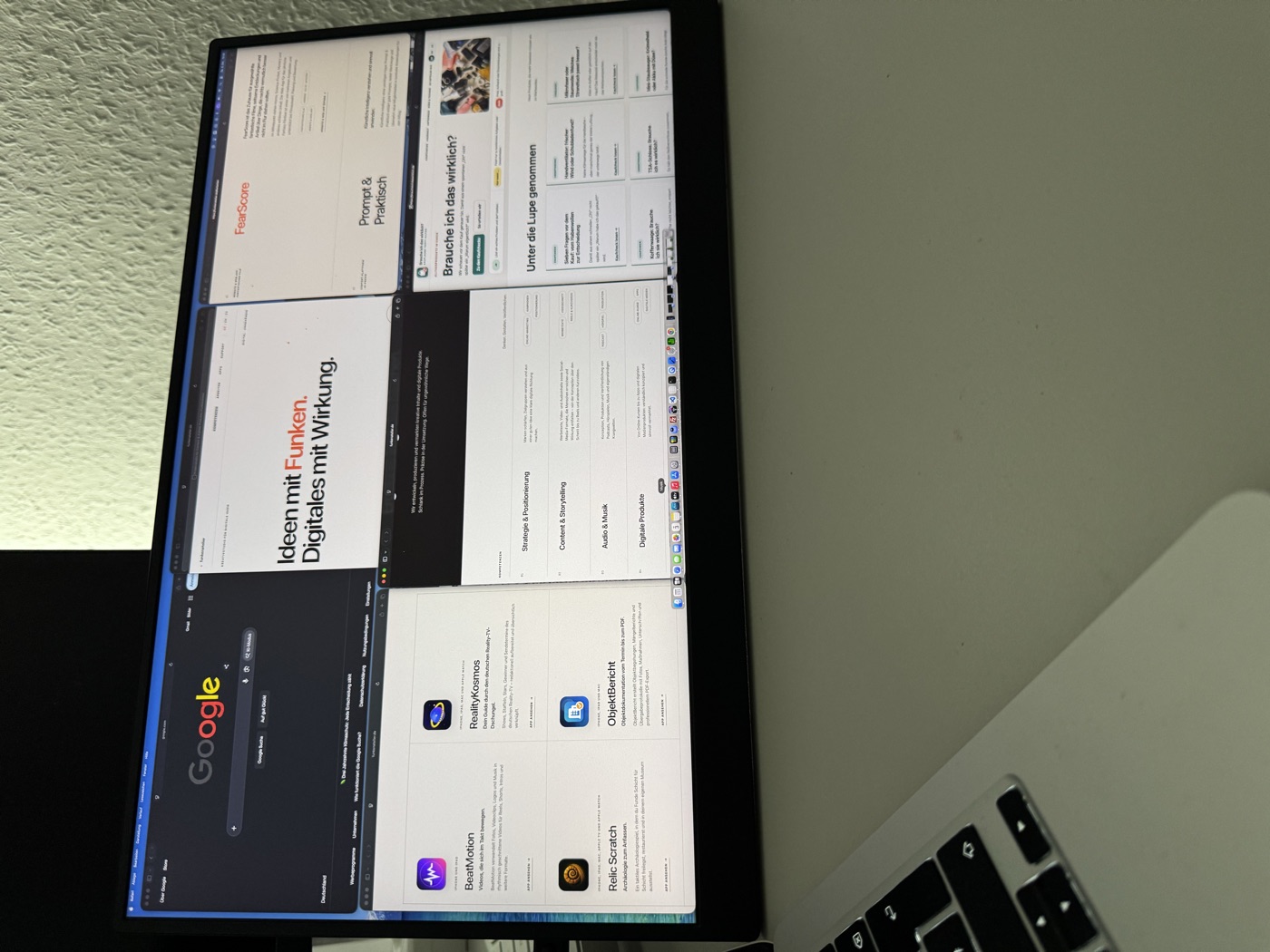
A MacBook Air is easy to take along. A little more screen space would still be welcome when working away from home. That is exactly why I use UPERFECT’s portable 17.3-inch monitor.
The picture looks good, my setup needs only one USB-C cable, and the stand actually does its job. I am less impressed by the speakers, and I would prefer the ports on the other side. Overall, though, it gets a clear recommendation for my mobile workspace.
One cable is enough
Connecting it to my MacBook Air is straightforward: a single USB-C cable carries the picture and powers the monitor at the same time. I do not need a separate power adapter in this setup.
That is a big plus for me. I want to put up a second screen and get to work. If I first have to hunt for cables, a power adapter and a free socket, the idea quickly loses its appeal.
One-cable operation works with my combination of devices. Whether another computer can do the same depends on its USB-C port, power delivery and the cable used.
In the box: the power adapter can stay at home
Alongside the monitor, the box contains two USB-C cables, an HDMI cable, a power adapter and a small instruction booklet. Accessories for several connection options are already included.
I do not need the power adapter with my MacBook Air. It is still nice to have it included — a different setup might need it.
The stand: steady as a rock
My personal highlight is the built-in stand. It is sturdy, adjusts freely rather than in fixed steps, and holds the monitor securely at the angle I want. This thing stays put.
For a portable screen, that is more than a nice extra. Tables vary in height, light comes from different directions, and your seating position changes too. I want to be able to adjust the screen properly.
The UPERFECT lets me do that without a fiddle. Its stand is one of the monitor’s strongest features.
Just under a kilogram for 17.3 inches
The manufacturer lists a weight of 2.19 lbs. That works out to about 993 grams, or just under a kilogram. I have not weighed it myself.
It also feels pleasantly light to carry. The 17.3-inch screen adds a useful amount of space without feeling like a heavy piece of office equipment.
Of course, it still takes up room in a bag. Light does not magically make a 17.3-inch screen tiny.
A matte screen and a good picture
I particularly like the matte surface. It cuts down distracting reflections without making the colours look washed out. Overall, I am very happy with the picture.
The included manual lists a resolution of 3,840 × 2,160 pixels. macOS lets me scale the display and choose between larger text and more workspace. That choice is useful for the way I use a second screen.
My assessment of picture quality comes from everyday use. I have not measured colour accuracy or colour-gamut coverage with specialist equipment.
Useful outdoors too
The product description lists a brightness of 500 nits. That is the manufacturer’s figure, not a measurement I have taken.
In my experience, the monitor is usable for working outdoors. Its matte surface helps keep reflections under control. How clearly you can see the content still depends on where you sit and the surrounding light.
I would not give it a blanket recommendation for direct, blazing sunshine. For my mobile use, the brightness is nevertheless a definite plus.
macOS offers 120 hertz
The manual lists a refresh rate of 120 hertz. The macOS display settings offer that option in my setup too.
I mainly use the monitor for work and have not carried out a gaming test. I therefore have no first-hand test verdict on response time, fast-moving game scenes or the quality of the advertised HDR display.
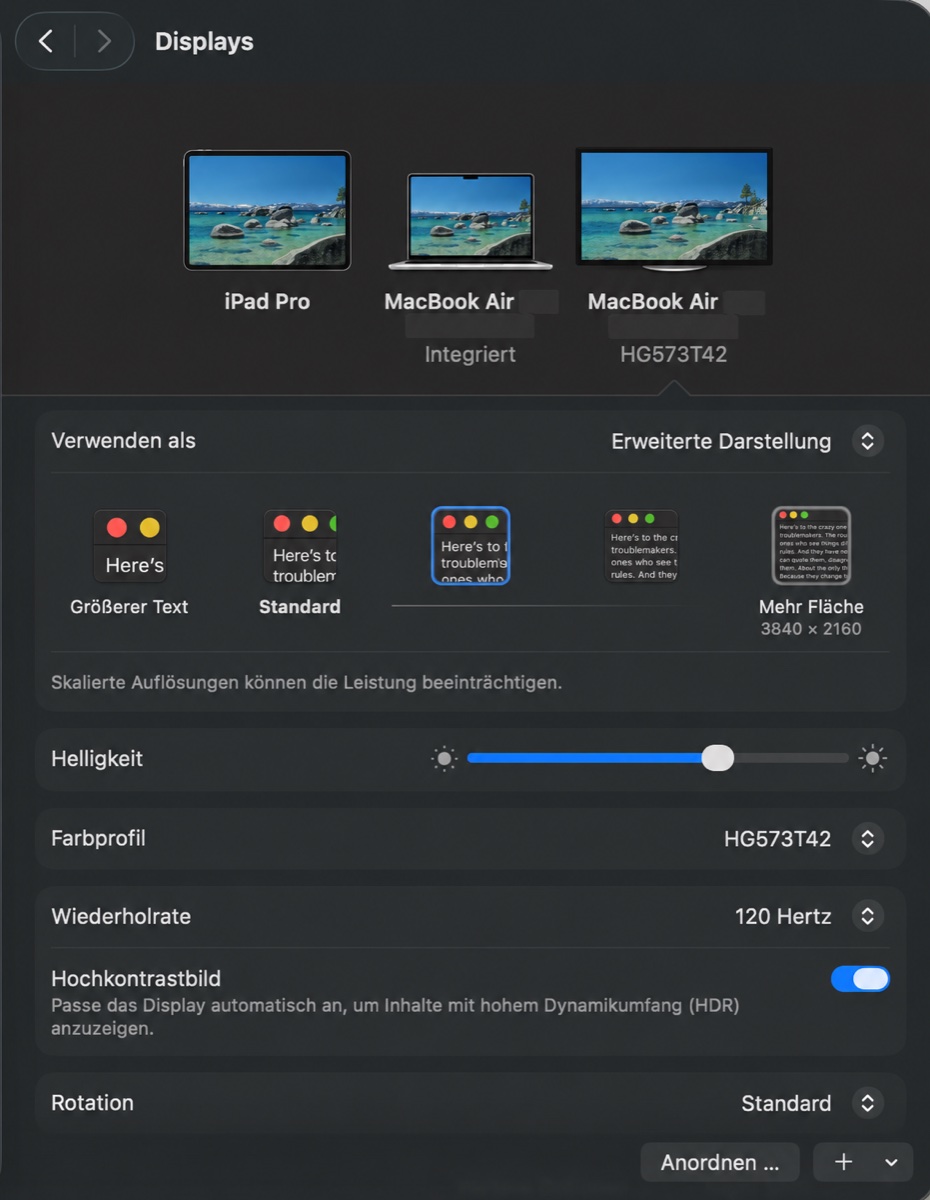
Technical specifications in the included manual
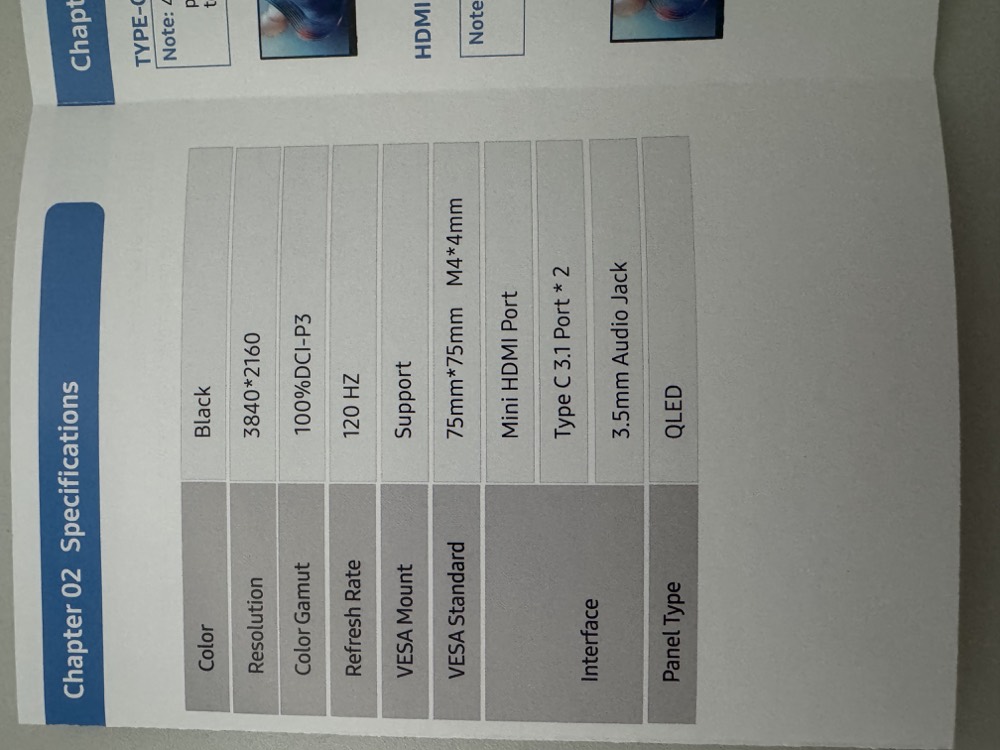
The manual documents technical specifications. It is not a substitute for measurements.
All ports on the left — not ideal for my setup
All of the monitor’s ports are on the left. My MacBook Air’s ports are on the left too. Ports on the monitor’s right side would suit my arrangement better.
It is hardly a disaster, but it is a detail I notice in everyday use. Routing the cable would be easier the other way round.
If you already know which side of your laptop the second screen will sit on, check the port positions before buying. The monitor has two USB-C ports, Mini-HDMI and a 3.5 mm headphone socket.
Speakers: more of a fallback
The built-in speakers are a fallback for me. They produce sound, but I am not impressed. I certainly would not buy this monitor for its speakers.
There is another limitation with viewing angles: when I look at the screen from far to the side, the picture becomes slightly worse.
What I like — and what I like less
What I like
- Sturdy, freely adjustable built-in stand
- Picture and power through one USB-C cable in my setup
- Matte surface with fewer distracting reflections
- Very good picture quality to my eyes
- Weighs less than a kilogram
- Useful for my outdoor work too
What I like less
- All ports are on the left
- Speakers are only a fallback
- Picture quality drops slightly at strong side angles
- 17.3 inches take up space in a bag
Do I really need this? For my mobile workspace: yes.
The UPERFECT does exactly what I use it for: it gives my MacBook Air a generously sized second screen and is easy to set up.
I especially like the good picture, matte surface and single-cable connection. The sturdy stand deserves its own place on the positives list. It makes the monitor not just portable, but practical to use as well.
I can live with the weak speakers. Having all the ports on the left is inconvenient for my setup, but it does not change my positive overall impression.
If you regularly need more screen space away from home, this monitor is worth a look. If your laptop screen already does the job, save yourself the extra luggage.
Test basis: My own use as a portable second screen for a MacBook Air. Comments on stability, handling, picture quality, speakers and viewing angles reflect personal experience. Technical specifications come from the supplied product description and included manual. Weight, brightness, colour accuracy and response time were not independently measured.